
When people need quick information about a product, website, coupon, or item label, they often turn to a scan barcode free tool because it offers a simple way to read barcode information without paying for expensive software. These tools are widely available on smartphones and online platforms, but many users wonder whether they are actually safe to use.
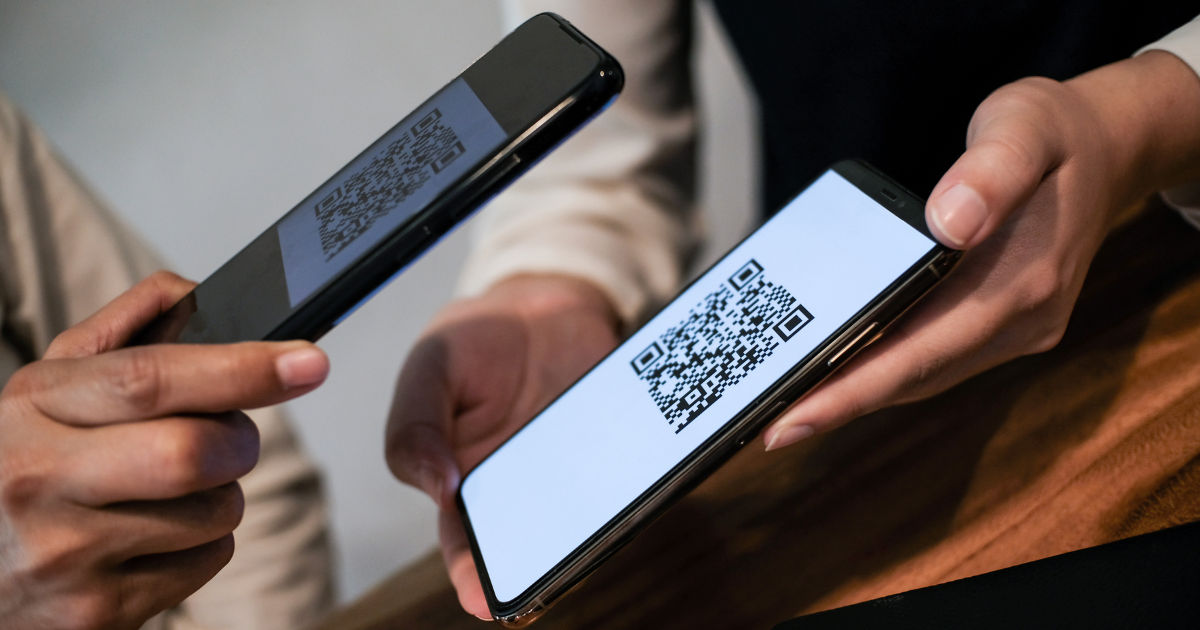
Understanding how barcode scanners work, what risks exist, and how to choose reliable options can help you make better decisions when you scan barcode free. Barcode scanning has become a normal part of everyday life. From checking product details in stores to accessing restaurant menus through QR codes, the ability to scan barcode free with reliable tools saves time and provides instant access to information.
However, like any digital tool, barcode scanners can have security concerns if they come from unreliable sources.This guide explains how free barcode scanners work, whether they are safe, what risks to watch for, and how to use them responsibly.
What Is a Free Barcode Scanner?
A free barcode scanner is a tool or application that allows users to scan different types of barcodes without paying a subscription fee. These scanners usually work through a smartphone camera or a computer camera. Once the barcode is detected, the scanner reads the encoded information and displays the results.
Barcodes can contain different types of information depending on their purpose. Some may include product numbers, inventory details, website links, payment information, or contact details.
Many people use a scan barcode free service because it provides quick access without requiring technical skills. Most modern smartphones already have built-in scanning features, while additional free apps are available through app stores.
How Do Barcode Scanners Work?
Barcode scanners use image recognition technology to identify patterns inside a barcode. A barcode is made up of lines, spaces, or small square patterns that represent specific data.
When you scan a barcode, the process usually follows these steps:
- The camera captures an image of the barcode.
- The scanner analyzes the barcode pattern.
- The software converts the pattern into readable information.
- The result appears on your screen.
For example, when scanning a product barcode, the scanner may show the product name, price information, or manufacturer details. When scanning a QR code, it may open a website or display digital content.
The technology itself is generally safe. The main safety concerns usually come from the source of the scanner application and the type of information being accessed.
Is Scan Barcode Free Safe to Use?
In most cases, a scan barcode free tool can be safe to use if it comes from a trusted source. Many free barcode scanners are designed with basic security features and provide useful functions without requiring payment.
However, safety depends on several factors, including:
- Where you download the scanner from
- What permissions the app requests
- Whether the scanner contains advertisements or tracking tools
- What type of barcode you are scanning
A barcode scanner that only uses your camera to read information is usually low risk. Problems often appear when an app requests unnecessary access to your contacts, messages, location, or personal files.
Before using any free scanner, it is important to check its reputation and understand what permissions it requires.
Benefits of Using Free Barcode Scanners
Free barcode scanners offer several advantages for everyday users.
Quick Access to Information
The biggest advantage is convenience. Instead of manually searching for product details or typing long website addresses, users can scan and receive information instantly.
This is especially helpful when shopping, comparing products, or accessing digital menus.
No Cost Required
Many users prefer free tools because they do not want to pay for occasional barcode scanning needs. A scan barcode free option can provide basic features without requiring a financial commitment.
For casual users, free scanners are often enough for simple tasks.
Easy for Beginners
Most barcode scanners are designed for people with little technical experience. The process usually involves opening the scanner, pointing the camera, and waiting for the result.
This simplicity makes barcode scanning accessible for students, shoppers, business owners, and everyday smartphone users.
Useful for Multiple Purposes
Barcode scanners can be used for many activities, including:
- Checking product information
- Opening website links
- Managing inventory
- Reading event tickets
- Accessing promotions
- Sharing digital information
Possible Risks of Free Barcode Scanners
Although many free scanners are safe, users should understand potential risks.
Malicious Barcode Links
One of the biggest concerns is that a barcode may contain a harmful link. A barcode itself is not dangerous, but the information inside it can lead users to unsafe websites.
For example, a QR code could redirect someone to a fake login page designed to steal passwords.
Before opening a website from a scanned barcode, check whether the address looks legitimate.
Privacy Concerns
Some free barcode scanning apps collect user information. This may include:
- Device details
- Usage statistics
- Location information
- Advertising data
Not every app that collects data is harmful, but users should review privacy policies and app permissions before installation.
A trustworthy scanner should not ask for unnecessary access to personal information.
Fake Scanner Applications
Another risk comes from downloading fake applications. Some apps appear to be barcode scanners but are designed mainly to display aggressive advertisements, collect data, or install unwanted software.
To reduce this risk:
- Download apps from official app stores
- Check user reviews
- Avoid apps with suspicious descriptions
- Look at the developer information
How to Choose a Safe Free Barcode Scanner
Choosing the right scanner can make a major difference in security.
Check Reviews and Ratings
Before installing an application, read reviews from other users. Look for comments about performance, advertisements, privacy issues, and reliability.
A large number of positive reviews does not guarantee safety, but it can help identify obvious problems.
Review App Permissions
Always check what permissions an app requests.
A barcode scanner usually needs:
- Camera access
It may not need:
- Contacts
- Microphone
- Text messages
- Personal files
If an app requests access unrelated to scanning, consider choosing another option.
Use Trusted Platforms
Download barcode scanners from official sources whenever possible. Official app stores usually have security checks that reduce the chance of harmful applications being distributed.
Avoid downloading unknown scanner files from random websites.
Can Barcode Scanners Steal Personal Information?
A barcode scanner cannot automatically steal information just because it scans a code. The risk depends on what happens after scanning.
For example:
- A product barcode usually contains harmless information.
- A website barcode may open a page that asks for personal details.
- A payment barcode may involve financial information.
Users should avoid entering sensitive details on unfamiliar websites accessed through scanned codes.
Good security habits include:
- Checking website addresses carefully
- Avoiding suspicious login pages
- Not sharing passwords through unknown links
- Keeping phone security updates active
Are Browser-Based Free Barcode Scanners Safe?
Some users prefer online barcode scanners instead of installing apps. These tools allow scanning through a website without downloading additional software.
A browser-based scan barcode free solution can be convenient, but users should still consider website security.
A reliable website should:
- Use secure connections
- Have a clear privacy policy
- Avoid excessive pop-ups
- Explain how uploaded images are handled
If a website asks users to upload barcode images, it is worth checking how that information is stored and processed.
Tips for Safe Barcode Scanning
Following a few simple practices can make barcode scanning safer.
Avoid Unknown QR Codes
Do not scan random codes found on posters, emails, or messages unless you trust the source.
Scammers sometimes place fake QR codes over legitimate ones to redirect users to harmful websites.
Keep Your Device Updated
Phone updates often include security improvements. Keeping your operating system updated reduces risks from malicious apps and websites.
Use Security Software
Mobile security tools can help detect suspicious websites, applications, and downloads.
Be Careful With Payments
Payment-related barcodes require extra attention. Always confirm the recipient and payment details before completing transactions.
Who Should Use Free Barcode Scanners?
Free barcode scanners are useful for many types of users.
Everyday Consumers
Shoppers can use barcode scanners to compare products, check information, and access promotions.
Small Businesses
Small businesses can use free scanners for basic inventory management and product tracking.
Students and Professionals
Students and professionals may use barcode tools for organizing information, accessing resources, or managing documents.
However, businesses handling large amounts of sensitive data may require professional barcode systems with advanced security features.
Free Barcode Scanner vs Paid Barcode Scanner
The main difference between free and paid scanners is usually the number of features.
Free scanners are suitable for:
- Basic scanning
- Personal use
- Occasional tasks
Paid scanners may provide:
- Advanced inventory management
- Business analytics
- Customer support
- Additional security controls
For most casual users, a reliable free scanner is enough. The important factor is not always the price but the quality and trustworthiness of the tool.
Common Mistakes Users Make
Many security problems happen because of simple mistakes.
Some common errors include:
- Installing unknown scanner apps
- Ignoring permission requests
- Clicking every link after scanning
- Using outdated applications
- Sharing sensitive information without checking the source
Being cautious can prevent most barcode-related problems.
Frequently Asked Questions
Is scan barcode free safe for shopping?
Yes, a scan barcode free tool can be safe for shopping when used carefully. Always verify product information and avoid suspicious links.
Can a barcode contain a virus?
A barcode itself cannot contain a virus. However, it can direct users to websites or downloads that may be harmful.
Do free barcode scanners collect personal data?
Some may collect usage information or device data. Always review permissions and privacy settings before using an app.
Should I use a free barcode scanner app?
A free scanner can be a good choice for basic needs if it comes from a trusted developer and has positive reviews.
Are online barcode scanners safer than apps?
Not always. Both options can be safe or unsafe depending on the provider. Always choose reputable services.
Conclusion
A scan barcode free tool can be a convenient and useful solution for quickly accessing information from products, websites, and digital codes. In most situations, free barcode scanners are safe when users choose reliable applications, check permissions, and avoid suspicious links.
The biggest risks do not come from barcode technology itself but from unsafe websites, fake applications, and poor security habits. A barcode is simply a way to store information. The safety depends on where that information leads and how carefully users interact with it.
Before using any free scanner, take a few moments to check its source, understand permissions, and stay alert while opening scanned content. With responsible use, free barcode scanning tools can provide a simple, efficient, and secure way to connect the physical world with digital information.