The News Hike Technology Understanding Temp Mail: The Benefits and Best Practices for Temporary Email Use

Understanding Temp Mail: The Benefits and Best Practices for Temporary Email Use

In the digital age, privacy and security have become paramount concerns. Every day, users share their personal information online, whether signing up for newsletters, online services, or participating in forums. One tool that has grown in popularity to help protect privacy is temp mail. This article explores what

temp mail is, its benefits, and the best practices for using temporary email services effectively.

What is Temp Mail?

Temp mail, short for temporary email, is a service that allows users to generate a disposable email address for a short period. Unlike traditional email addresses, temp mail accounts are designed to be temporary and automatically expire after a set duration. These email addresses receive incoming emails, which can be accessed without registering for a permanent account.

Temp mail is especially useful when users need to access online services or verify accounts without revealing their personal or work email addresses. This helps minimize spam, protect identity, and keep personal inboxes clean.

You can watch a video explaining more about temp mail and how it works here.

Benefits of Using Temp Mail

Enhanced Privacy and Anonymity

One of the primary advantages of temp mail is enhanced privacy. By using a temporary email address, users can prevent their personal information from being collected by websites or marketers. This is particularly useful when signing up for platforms that may share user data or when testing services without committing personal information.

Protection from Spam

Spam emails can clutter inboxes, making it difficult to manage important communications. Temp mail addresses are an excellent solution for websites or newsletters that might send promotional content. By using a disposable email, you can avoid spam and keep your primary email address free from unwanted messages.

Secure Account Verification

Many online services require email verification for account creation. Temp mail allows users to receive verification links without disclosing their permanent email addresses. This ensures a safer online experience while reducing the risk of phishing attacks or malicious emails reaching your main inbox.

Temporary Access for Testing and Trials

Temp mail is a valuable tool for businesses and developers who need temporary access to email services for testing purposes. For instance, testing account registrations, confirming email notifications, or checking automated responses can be done efficiently without using a personal email.

Convenience and Time-Saving

Creating a temp mail account is usually quick and hassle-free. Users can generate an email address in seconds, making it convenient for one-time registrations or urgent tasks. This saves time and avoids the need to create multiple permanent accounts for short-term use.

Best Practices for Using Temp Mail

While temp mail offers numerous advantages, it is essential to use it wisely to maximize benefits and maintain security.

Use Temp Mail for Non-Critical Accounts

Temp mail should not be used for important or long-term accounts such as banking, social media, or official correspondence. Temporary emails are not designed to store data permanently, and once they expire, you may lose access to essential information.

Avoid Sharing Personal Information

Although temp mail helps maintain anonymity, it’s important to avoid sharing sensitive information through temporary emails. Never use temp mail for financial transactions, passwords, or confidential messages.

Set Reminders for Expiration

Most temp mail services have expiration times ranging from minutes to days. Users should keep track of these durations if they need to access incoming emails within that timeframe. Setting reminders ensures you don’t miss critical verification emails or other time-sensitive communications.

Combine Temp Mail with Strong Passwords

Even when using temp mail, it’s important to follow basic online security practices. Use strong, unique passwords when registering for websites to reduce the risk of account compromise. Combining temp mail with secure password management increases overall safety.

Choose Reputable Temp Mail Services

Not all temporary email providers are trustworthy. Some may log your data or display intrusive ads. Research and choose reliable temp mail services with good privacy policies. Reputable services ensure your temporary email remains anonymous and secure.

Limit Frequency of Use for Important Platforms

If you frequently use temp mail to access multiple accounts on the same platform, it may raise suspicion or trigger security checks. Limit temp mail use for necessary occasions and rely on permanent email addresses for consistent communication with trusted services.

Common Use Cases of Temp Mail

Online Shopping and Promotions

Many e-commerce websites require email registration for discounts or promotions. Temp mail allows users to access these offers without receiving long-term promotional emails in their primary inbox.

Software Trials and Beta Testing

Developers and testers often use temp mail to create multiple trial accounts quickly. This allows them to test software features, registration processes, and email notifications without cluttering their personal email accounts.

Forums and Community Sign-Ups

Participating in online forums or communities may require email verification. Using temp mail ensures that your personal email remains private while still allowing access to these platforms.

Avoiding Social Media Spam

Social media platforms sometimes request email addresses for sign-ups, newsletters, or updates. Temp mail prevents your personal email from being targeted for unsolicited marketing campaigns.

Temporary Project Collaboration

Temp mail can be used to collaborate on short-term projects or temporary teams where email communication is needed only for a limited duration.

Limitations of Temp Mail

While temp mail is highly convenient, it comes with certain limitations.

  • Short Lifespan: Temporary email addresses expire after a specific period, which can be inconvenient if long-term access is needed.

  • Limited Features: Temp mail services usually offer basic email functionality without advanced features like folders or filters.

  • Not Ideal for Sensitive Accounts: Using temp mail for banking, healthcare, or other sensitive services is not recommended.

  • Potential Blockages: Some websites may block known temp mail domains, preventing registration or verification.

Conclusion

Temp mail is a versatile tool that offers numerous advantages in today’s digital world. From enhancing privacy to protecting against spam and providing temporary access for testing, it simplifies online interactions while keeping your personal email safe. However, it’s important to use temp mail responsibly and for appropriate scenarios to maximize its benefits. By following best practices, choosing reputable services, and being aware of limitations, users can make the most of temporary email addresses without compromising security or convenience.

Related Post

Redefining Trading Success with Supraquants Innovative AI SolutionsRedefining Trading Success with Supraquants Innovative AI Solutions

In an ever-evolving financial landscape, traders seek effective tools to enhance their strategies and maximize returns. Enter Supraquant, a pioneering platform that leverages advanced artificial intelligence to revolutionize trading practices.

Harnessing AI for Smarter Trading Decisions

Supraquant’s intelligent algorithms analyze vast amounts of market data in real-time, enabling traders to make informed decisions quickly. By identifying trends and predicting market movements, the platform empowers users to capitalize on opportunities that might otherwise go unnoticed. This data-driven approach significantly reduces the guesswork traditionally associated with trading, making it an indispensable asset for both novice and experienced traders.

Streamlining the Trading Process

One of the standout features of Supraquant is its user-friendly interface, which simplifies the trading process. Traders can access a plethora of tools designed to enhance their trading experience, from customizable dashboards to automated trading features. This innovative design not only saves time but also allows users to focus on crafting effective strategies rather than getting bogged down by complex systems.

Staying Ahead in a Competitive Market

The financial market is highly competitive, with traders constantly on the lookout for an edge. Supraquant’s unique offering lies in its ability to adapt to market changes swiftly. As the platform continuously learns from past trades and market behaviors, it evolves, ensuring that traders remain at the forefront of market trends.

In conclusion, for those looking to redefine their trading success, Supraquant offers a powerful solution. By integrating AI into trading strategies, users can enhance their decision-making processes and ultimately improve their financial outcomes. To explore more about this innovative trading platform, visit www.supraquant.com.

what skills engineering freelancers need?what skills engineering freelancers need?

Engineering freelancing is growing faster than ever. Companies around the world now hire experts online for short-term and long-term technical projects.

Many businesses prefer to hire engineering freelancers because they can quickly access specialized talent without hiring full-time employees. From civil engineering to software engineering, freelancing has become a major career path for skilled professionals.
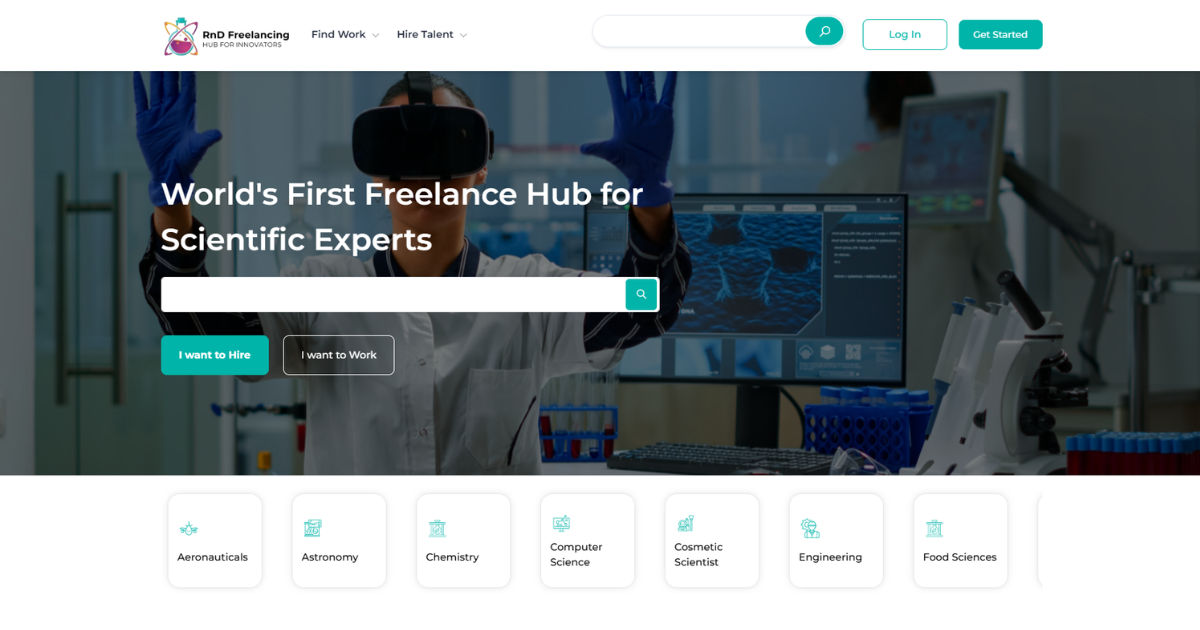
Today, companies hire engineering freelancers for product design, construction planning, CAD drafting, software development, automation systems, and technical consulting. This growing demand means freelancers must develop strong technical and professional skills to stay competitive.

If you want to succeed in this field, understanding what skills engineering freelancers need is essential. Businesses that hire engineering freelancers look for professionals who can solve problems, communicate clearly, meet deadlines, and deliver high-quality work consistently.

This guide explains the most important skills every engineering freelancer should develop. Whether you are new to freelancing or already experienced, these skills can help you grow your career, attract better clients, and earn higher income.


The Engineering Freelance Industry

Engineering freelancing is different from traditional employment. Freelancers work independently and often manage multiple projects at the same time. Companies hire engineering freelancers because they want flexibility, specialized knowledge, and faster project completion.

Engineering freelancers may work in:

  • Mechanical engineering
  • Civil engineering
  • Electrical engineering
  • Software engineering
  • Chemical engineering
  • Industrial engineering
  • Structural engineering
  • Environmental engineering

Because competition is increasing, companies hire engineering freelancers who can provide both technical expertise and excellent customer service.

Freelancers are not only engineers. They are also business owners. They must manage clients, schedules, pricing, communication, and project delivery. This is why successful engineering freelancers need a combination of technical and soft skills.


Strong Technical Knowledge

The first and most important skill is technical expertise. Clients hire engineering freelancers because they need professionals who can solve technical problems accurately and efficiently.

Without strong engineering knowledge, it becomes difficult to compete in the freelance market.

Mastering Core Engineering Concepts

Engineering freelancers must understand the basic principles of their field. For example:

  • Civil engineers should understand structural analysis and construction materials.
  • Mechanical engineers should know thermodynamics and machine design.
  • Electrical engineers should understand circuits and power systems.
  • Software engineers should know programming languages and system architecture.

Clients hire engineering freelancers who can confidently handle real-world engineering challenges.

Staying Updated With Technology

Engineering changes quickly. New tools, software, and industry standards appear every year. Freelancers who continue learning stay ahead of competitors.

Important areas to study include:

  • Automation
  • Artificial intelligence
  • Sustainable engineering
  • Simulation software
  • Robotics
  • Cloud computing
  • Smart manufacturing

Businesses prefer to hire engineering freelancers who understand modern technologies and current industry trends.


Communication Skills

Technical skills alone are not enough. Communication is one of the biggest reasons clients continue working with freelancers.

Companies hire engineering freelancers who can explain ideas clearly and professionally.

Written Communication

Freelancers regularly write:

  • Emails
  • Reports
  • Technical documents
  • Project proposals
  • Client updates

Clear writing prevents misunderstandings and improves client satisfaction.

Good written communication also helps engineering freelancers appear more professional.

Verbal Communication

Engineering freelancers often attend meetings, video calls, and project discussions.

Strong verbal communication helps freelancers:

  • Explain technical ideas
  • Understand client needs
  • Solve conflicts
  • Build trust

Clients are more likely to hire engineering freelancers who communicate confidently and respectfully.


Problem-Solving Ability

Engineering is all about solving problems. Freelancers must think critically and create practical solutions.

Clients hire engineering freelancers because they need experts who can handle difficult situations independently.

Analytical Thinking

Freelancers must analyze information carefully before making decisions.

This includes:

  • Identifying project risks
  • Finding design flaws
  • Improving system efficiency
  • Reducing production costs

Strong analytical thinking increases project success.

Creative Solutions

Sometimes engineering projects face unexpected challenges. Freelancers must develop creative solutions under pressure.

Businesses hire engineering freelancers who can think outside the box and adapt quickly.


Time Management Skills

Freelancers often manage multiple clients at once. Poor time management can damage reputation and reduce income.

Clients hire engineering freelancers who consistently meet deadlines.

Managing Deadlines

Engineering projects usually have strict timelines. Missing deadlines can delay production, construction, or product launches.

Successful freelancers:

  • Create schedules
  • Set priorities
  • Track progress
  • Avoid procrastination

Reliable delivery helps engineering freelancers build long-term client relationships.

Balancing Multiple Projects

Freelancers may work with several clients simultaneously.

Good time management helps them:

  • Complete tasks efficiently
  • Avoid burnout
  • Maintain work quality
  • Increase productivity

Many companies hire engineering freelancers specifically because they need fast and flexible project support.


Software and Digital Skills

Modern engineering depends heavily on technology. Freelancers must know how to use industry-standard software.

Companies hire engineering freelancers who can immediately work with digital tools.

CAD and Design Software

Many engineering freelancers use:

  • AutoCAD
  • SolidWorks
  • CATIA
  • Revit
  • Fusion 360

These programs help create designs, models, and technical drawings.

Project Management Tools

Freelancers also use tools like:

  • Trello
  • Asana
  • Jira
  • Monday.com

These tools improve communication and organization.

Clients prefer to hire engineering freelancers who understand collaborative digital workflows.

Data Analysis Skills

Engineering projects often involve data interpretation.

Freelancers should understand:

  • Excel
  • MATLAB
  • Python
  • Simulation software

Data-driven decision-making is becoming increasingly important in engineering.


Adaptability and Flexibility

Freelancing environments change quickly. New projects, industries, and client expectations require flexibility.

Businesses hire engineering freelancers who can adapt to different situations.

Learning New Industries

Freelancers may work in:

  • Healthcare
  • Automotive
  • Construction
  • Energy
  • Aerospace
  • Manufacturing

Each industry has unique requirements. Adaptable freelancers can work across multiple sectors.

Handling Changing Requirements

Project goals may change during development. Freelancers must remain calm and flexible.

Clients hire engineering freelancers who can adjust without sacrificing quality.


Business and Financial Skills

Engineering freelancers are also entrepreneurs. Managing finances and business operations is essential.

Companies hire engineering freelancers who operate professionally.

Pricing Services Correctly

Freelancers must know how to:

  • Set fair prices
  • Calculate project costs
  • Estimate time requirements
  • Avoid undercharging

Poor pricing can reduce profits and create financial stress.

Managing Invoices and Payments

Freelancers should maintain organized financial records.

Important financial tasks include:

  • Sending invoices
  • Tracking expenses
  • Managing taxes
  • Monitoring income

Professional financial management builds credibility.


Teamwork and Collaboration

Freelancers may work independently, but collaboration remains important.

Many companies hire engineering freelancers to join larger project teams.

Working With Remote Teams

Engineering freelancers often collaborate online with:

  • Designers
  • Architects
  • Developers
  • Project managers
  • Manufacturers

Strong teamwork improves project efficiency.

Accepting Feedback

Freelancers should remain open to client suggestions and revisions.

Clients hire engineering freelancers who respond positively to feedback and improve their work accordingly.


Attention to Detail

Engineering projects require accuracy. Small mistakes can lead to expensive problems.

Businesses hire engineering freelancers who deliver precise work.

Quality Control

Freelancers must carefully review:

  • Calculations
  • Drawings
  • Specifications
  • Code
  • Reports

Attention to detail reduces errors and improves reliability.

Following Industry Standards

Engineering freelancers should understand:

  • Safety regulations
  • Compliance standards
  • Industry guidelines
  • Technical specifications

Professional accuracy helps build trust with clients.


Networking and Personal Branding

Finding freelance clients requires strong visibility.

Companies hire engineering freelancers they can trust and easily find online.

Building an Online Presence

Freelancers should create:

  • Professional portfolios
  • LinkedIn profiles
  • Personal websites
  • Case studies

A strong online presence increases credibility.

Networking With Industry Professionals

Networking creates opportunities for referrals and partnerships.

Successful freelancers attend:

  • Industry conferences
  • Online communities
  • Engineering forums
  • Professional events

Many businesses hire engineering freelancers through referrals and professional connections.


Negotiation Skills

Freelancers regularly discuss pricing, deadlines, and project terms.

Clients hire engineering freelancers who negotiate professionally.

Discussing Project Scope

Clear project discussions prevent misunderstandings.

Freelancers should define:

  • Deliverables
  • Timelines
  • Costs
  • Revisions
  • Responsibilities

Protecting Professional Value

Some clients may try to reduce prices unfairly.

Confident negotiation helps freelancers maintain fair compensation and professional respect.


Leadership Skills

Leadership is valuable even for independent freelancers.

Companies hire engineering freelancers who can guide projects successfully.

Taking Initiative

Freelancers should solve problems proactively instead of waiting for instructions.

Initiative demonstrates professionalism and reliability.

Managing Small Teams

Some freelancers eventually lead subcontractors or remote teams.

Leadership skills help manage collaboration and project success.


Research Skills

Engineering projects often require technical research.

Businesses hire engineering freelancers who can gather accurate information quickly.

Understanding Technical Documentation

Freelancers must review:

  • Manuals
  • Standards
  • Scientific papers
  • Product specifications

Good research improves project quality.

Studying Market Trends

Understanding industry trends helps freelancers stay competitive.

Clients prefer to hire engineering freelancers who understand modern market demands.


Customer Service Skills

Freelancers provide services directly to clients. Good customer service improves reputation and repeat business.

Companies hire engineering freelancers who create positive client experiences.

Responding Professionally

Freelancers should reply quickly and respectfully to client questions.

Professional communication builds trust.

Managing Difficult Clients

Not every project goes smoothly. Freelancers must remain calm during disagreements.

Strong customer service helps maintain long-term relationships.


Confidence and Self-Motivation

Freelancers work independently most of the time. Self-discipline is essential.

Businesses hire engineering freelancers who remain productive without supervision.

Staying Motivated

Freelancers must maintain consistent effort even during slow periods.

Successful freelancers:

  • Set goals
  • Create routines
  • Continue learning
  • Stay organized

Building Confidence

Confidence improves communication, negotiations, and project management.

Clients are more likely to hire engineering freelancers who appear knowledgeable and dependable.


Importance of Ethical Responsibility

Engineering work affects safety, quality, and public trust.

Companies hire engineering freelancers who follow ethical standards.

Maintaining Honesty

Freelancers should always:

  • Provide realistic timelines
  • Report problems honestly
  • Avoid false claims
  • Respect confidentiality

Integrity builds strong professional reputations.

Prioritizing Safety

Engineering decisions can impact people’s lives.

Responsible freelancers prioritize safety and compliance in every project.


Marketing Skills for Engineering Freelancers

Technical ability alone does not guarantee success. Freelancers must market themselves effectively.

Businesses hire engineering freelancers they can easily discover online.

Creating Strong Portfolios

A portfolio should include:

  • Completed projects
  • Technical skills
  • Certifications
  • Client testimonials
  • Problem-solving examples

A professional portfolio increases client confidence.

Using Freelance Platforms

Many companies hire engineering freelancers through online platforms such as:

  • Upwork
  • Fiverr
  • Freelancer
  • Toptal

Freelancers should create detailed profiles that highlight expertise and experience.


Importance of Continuous Learning

Engineering never stops evolving. Lifelong learning is essential for career growth.

Clients hire engineering freelancers who continue improving their skills.

Taking Online Courses

Freelancers can learn through:

  • Online certifications
  • Engineering workshops
  • Technical webinars
  • University courses

Continuous education increases expertise and income potential.

Learning From Experience

Every project teaches valuable lessons.

Successful freelancers analyze mistakes and improve continuously.


Cybersecurity and Data Protection Skills

Many engineering projects involve sensitive information.

Companies hire engineering freelancers who understand cybersecurity basics.

Protecting Client Data

Freelancers should:

  • Use secure passwords
  • Protect files
  • Avoid unsafe networks
  • Backup important data

Professional data management builds client trust.

Understanding Digital Security

Cybersecurity knowledge is especially important for software and systems engineers.

Clients prefer to hire engineering freelancers who take security seriously.


Emotional Intelligence

Emotional intelligence helps freelancers manage relationships and stress effectively.

Businesses hire engineering freelancers who work well with different personalities.

Understanding Client Expectations

Freelancers should listen carefully to client concerns and goals.

Good emotional awareness improves communication and project outcomes.

Managing Stress

Freelancing can involve pressure, deadlines, and uncertainty.

Healthy stress management improves long-term success.


Global Opportunities for Engineering Freelancers

The internet has created worldwide opportunities.

Companies everywhere hire engineering freelancers for remote work.

Working With International Clients

Freelancers may collaborate with clients from different countries and cultures.

Global communication skills are increasingly important.

Understanding Cultural Differences

Respecting cultural expectations improves professionalism and relationships.

Clients often hire engineering freelancers who can work effectively across international markets.


Building Long-Term Client Relationships

Repeat clients create stable income and reduce marketing effort.

Companies continue to hire engineering freelancers they trust.

Delivering Consistent Quality

Reliable work encourages clients to return for future projects.

Consistency is one of the strongest competitive advantages in freelancing.

Creating Professional Trust

Trust develops through:

  • Honesty
  • Communication
  • Reliability
  • Technical excellence

Long-term client relationships often lead to referrals and larger projects.


Common Mistakes Engineering Freelancers Should Avoid

Even skilled freelancers can make mistakes that hurt their careers.

Underestimating Projects

Some freelancers promise unrealistic timelines or budgets.

Clients hire engineering freelancers who provide accurate expectations.

Ignoring Communication

Poor communication causes misunderstandings and client frustration.

Regular updates improve project success.

Neglecting Skill Development

Engineering changes rapidly. Freelancers who stop learning may struggle to remain competitive.

Continuous improvement is essential.


Future of Engineering Freelancing

Engineering freelancing will continue growing in the coming years.

More companies now hire engineering freelancers because remote work has become widely accepted.

Technological advancements such as artificial intelligence, automation, and cloud collaboration are creating new opportunities for freelancers worldwide.

Engineers who combine technical expertise with communication, adaptability, and business skills will have the greatest success.

The future looks especially promising for freelancers specializing in:

  • Renewable energy
  • Robotics
  • AI systems
  • Smart manufacturing
  • Sustainable construction
  • Automation engineering

As industries continue evolving, businesses will increasingly hire engineering freelancers for specialized project-based work.


Conclusion

Engineering freelancing offers exciting opportunities for skilled professionals around the world. However, success requires much more than technical knowledge alone. Companies hire engineering freelancers who can communicate effectively, solve problems, manage time, adapt to change, and deliver reliable results consistently.

Strong technical expertise remains the foundation of freelancing success, but soft skills are equally important. Communication, teamwork, leadership, customer service, and emotional intelligence help freelancers build trust with clients and create long-term professional relationships.

Engineering freelancers must also understand business management, personal branding, financial planning, and continuous learning. Since technology evolves quickly, freelancers who stay updated with modern tools and industry trends will remain competitive.

Today, businesses hire engineering freelancers because they need flexible, skilled, and dependable professionals who can complete projects efficiently. Freelancers who combine technical excellence with professionalism and adaptability can build rewarding and profitable careers.

Whether you are just beginning your freelance journey or looking to improve your existing career, developing these essential skills can help you stand out in the growing engineering marketplace. With dedication, continuous improvement, and strong work ethics, engineering freelancers can achieve long-term success in a highly competitive global industry.


 

How does PDF security online prevent access?How does PDF security online prevent access?

In today’s digital world, protecting documents is more important than ever. One of the most common ways people secure files is to Password Protect PDF documents before sharing them online.

This method helps prevent unauthorized access and ensures sensitive information remains private. In this guide, we will explore how online PDF security works, how it prevents access, and why Password Protect PDF is widely used for digital safety.

We will also break down encryption, authentication, user permissions, and online tools in simple language so even a 12th-grade student can easily understand.


Introduction to Online PDF Security

Online PDF security refers to the methods used to protect PDF files when they are uploaded, stored, or shared on the internet. The most common method is to Password Protect PDF, which ensures that only authorized users can open or edit the file.

When you Password Protect PDF, the system locks the file using encryption. This means the content inside the file becomes unreadable without the correct password. Even if someone downloads the file, they cannot access it without permission.

Modern online platforms use Password Protect PDF technology along with encryption algorithms to strengthen document safety. This makes it difficult for hackers or unauthorized users to view the content.


What Does It Mean to Password Protect a PDF?

To Password Protect PDF means to secure a PDF file with a secret code. This code is required before the file can be opened or edited.

When users apply Password Protect PDF, the system converts readable data into encrypted data. Without the password, the file looks like scrambled information.

There are usually two types of protection:

  • Open password (required to view the file)
  • Permission password (restricts editing, copying, or printing)

Both methods are part of Password Protect PDF systems used online.


How Online PDF Security Works

Online PDF security uses several layers to protect files. The most important step is when users choose to Password Protect PDF before uploading their documents.

Here is a simplified process:

  1. The user uploads a PDF file.
  2. The system offers Password Protect PDF options.
  3. The file is encrypted using algorithms.
  4. A password is assigned to unlock the file.
  5. The secured file is saved or shared.

Every time someone tries to open the file, the system checks the password. If the password is incorrect, access is denied.

This is why Password Protect PDF is considered one of the strongest basic security methods for documents.


Role of Encryption in PDF Security

Encryption is the core technology behind Password Protect PDF systems. It transforms readable text into unreadable code.

When you Password Protect PDF, encryption algorithms like AES (Advanced Encryption Standard) are used. These algorithms are extremely difficult to break without the correct password.

Even if hackers intercept the file, they cannot read it because the content is locked by Password Protect PDF encryption systems.

This makes encryption the backbone of online PDF security.


Why Password Protection Prevents Unauthorized Access

The main reason Password Protect PDF is effective is because it creates a barrier between the file and unauthorized users.

Without the password:

  • The file remains locked
  • Content cannot be viewed
  • Editing is blocked
  • Copying is restricted

When users apply Password Protect PDF, they ensure that only trusted individuals can access the document.

This is especially important for:

  • School assignments
  • Business contracts
  • Personal records
  • Financial documents

Types of PDF Security Used Online

There are multiple layers of security beyond just Password Protect PDF.

1. Open Password Security

This requires users to enter a password before viewing the file. It is the most basic form of Password Protect PDF.

2. Permission Restrictions

This limits actions like printing, copying, or editing. It works alongside Password Protect PDF.

3. Encryption Security

This is the technical layer that protects file data when you Password Protect PDF documents.

4. Digital Signatures

These verify the identity of the sender, often used with Password Protect PDF systems.

Each layer improves overall protection.


How Online Tools Apply PDF Security

Online platforms make it easy to Password Protect PDF files without installing software.

When you upload a file:

  • The tool processes your document
  • You choose to Password Protect PDF
  • The system encrypts the file
  • A secure version is generated

These tools are widely used because they are fast and accessible.

Most platforms rely heavily on Password Protect PDF technology to protect user files.


Importance of Password Strength

A weak password reduces the effectiveness of Password Protect PDF systems.

Strong passwords include:

  • Letters (uppercase and lowercase)
  • Numbers
  • Special characters

When users Password Protect PDF documents, strong passwords ensure better protection against hacking attempts.

Weak passwords make it easier to break into files, even if they are Password Protect PDF secured.


How Hackers Try to Bypass PDF Security

Even though Password Protect PDF is strong, attackers sometimes try to break it.

Common methods include:

  • Brute force attacks (trying multiple passwords)
  • Phishing (tricking users into revealing passwords)
  • Software vulnerabilities

However, modern Password Protect PDF encryption makes these attacks very difficult.

Still, users must always choose strong security when they Password Protect PDF important files.


Advantages of Using PDF Security Online

Using Password Protect PDF online has many benefits:

  • Easy access from anywhere
  • No need for software installation
  • Fast encryption process
  • Secure file sharing
  • Strong protection for sensitive data

Because of these advantages, millions of users rely on Password Protect PDF systems daily.


Limitations of Password Protection

Although Password Protect PDF is useful, it is not perfect.

Some limitations include:

  • Weak passwords can be guessed
  • Shared passwords reduce security
  • Some tools may store files temporarily

Despite these issues, Password Protect PDF remains one of the most widely used security methods.


Best Practices for PDF Security

To improve protection, follow these tips when you Password Protect PDF documents:

  • Always use strong passwords
  • Do not share passwords publicly
  • Use trusted online tools
  • Combine encryption with permissions
  • Regularly update security methods

These practices make Password Protect PDF more effective.


PDF Security in Education and Workplaces

Students and professionals often use Password Protect PDF for different reasons.

In education:

  • Assignments are protected
  • Exam papers are secured
  • Notes are shared safely

In workplaces:

  • Contracts are protected
  • Financial reports are secured
  • Confidential data is shared safely

In both cases, Password Protect PDF helps maintain privacy and trust.


Future of PDF Security Online

The future of Password Protect PDF technology is improving with advanced encryption and AI-based security systems.

We may see:

  • Smarter password detection systems
  • Biometric authentication
  • Cloud-based encryption
  • Automatic security scanning

Even with new technologies, Password Protect PDF will remain a core security method.


Why Students Should Learn PDF Security

Understanding Password Protect PDF is important for students because digital learning is growing rapidly.

Students often share:

  • Notes
  • Assignments
  • Projects

By using Password Protect PDF, they can protect their work from being copied or misused.

It also teaches basic cybersecurity awareness.


Common Misconceptions About PDF Security

Some people believe that Password Protect PDF is not secure enough. However, this is not completely true.

While no system is 100% unbreakable, Password Protect PDF with strong encryption is very reliable.

Another misconception is that all online tools are unsafe. In reality, trusted platforms use secure Password Protect PDF systems.


Real-Life Example of PDF Protection

Imagine a student sharing exam notes online. Without protection, anyone can copy them.

But when the student uses Password Protect PDF, only classmates with the password can access the file.

This simple step prevents misuse and protects intellectual work.


How Businesses Depend on PDF Security

Companies rely heavily on Password Protect PDF systems to protect sensitive information.

They use it for:

  • Contracts
  • Legal agreements
  • Employee data
  • Financial statements

Without Password Protect PDF, businesses would face serious security risks.


Final Thoughts on PDF Security Online

Online PDF security plays a major role in protecting digital documents. The ability to Password Protect PDF ensures that files remain safe from unauthorized access.

From encryption to password authentication, every layer contributes to stronger security. While no system is perfect, Password Protect PDF remains one of the most trusted methods worldwide.

As digital communication grows, understanding how to Password Protect PDF files will become even more important for students, professionals, and businesses.


Conclusion

In conclusion, online PDF security is essential for protecting sensitive information in the digital age. The most widely used method is to Password Protect PDF, which ensures that only authorized users can access the file. Through encryption, password verification, and permission control, Password Protect PDF systems prevent unauthorized access effectively.

Although there are some limitations, the benefits of Password Protect PDF far outweigh the risks. It is simple, widely available, and highly effective when used correctly. Whether for education, business, or personal use, learning how to Password Protect PDF is a valuable digital skill.

As technology continues to evolve, Password Protect PDF will remain a fundamental part of online document security, helping users protect their data and maintain privacy in an increasingly connected world.

Iptv On Humanoid Phones(2026 Nail Frame-up Steer)Iptv On Humanoid Phones(2026 Nail Frame-up Steer)

Android smartphones are one of the most accessible ways to stream IPTV in 2026. With mighty processors, high-quality displays, and easy access to IPTV apps, users can enjoy live TV, sports, movies, and serial anytime, anywhere.

In this steer, we ll cover everything about IPTV ON ANDROID PHONE, including setup steps, best apps, and park fixes.

Before start, you can search IPTV solutions here:
https://ip-tvuk.com

What is IPTV on Android Phone?

IPTV ON ANDROID PHONE refers to observation live television and on-demand content through IPTV applications installed on Android smartphones.

Instead of using cable or planet TV, uk iptv streams content over the net, allowing get at to:

  • Live UK international TV channels
  • Sports(Premier League, UFC, fisticuffs, etc.)
  • Movies and TV series
  • News and entertainment channels
  • Video on demand(VOD) libraries

Why Use IPTV on Android Phones?

Android phones are widely used for IPTV because:

  • Portable cyclosis anywhere
  • Supports HD and 4K playback
  • Easy app installation from Play Store
  • Works on Wi-Fi and Mobile data
  • Lightweight and fast setup

This makes IPTV ON ANDROID PHONE one of the most whippy streaming options.

Best IPTV Apps for Android Phones

Here are the most nonclassical IPTV apps:

1. IPTV Smarters Pro

  • Most pop IPTV app
  • Supports Xtream Codes login
  • Simple and user-friendly

2. TiviMate IPTV Player

  • Smooth interface
  • Advanced EPG support
  • Best for insurance premium users

3. XCIPTV Player

  • Lightweight and fast
  • Built-in player
  • Stable performance

4. GSE Smart IPTV

  • Supports M3U playlists
  • Highly customizable
  • Good for high-tech users

Step-by-Step IPTV Setup on Android Phone

Step 1: Install IPTV App

  • Open Google Play Store
  • Search IPTV Smarters or TiviMate
  • Install app

Step 2: Get IPTV Subscription

You will need:

  • M3U URL OR
  • Xtream Codes login

Provided by your IPTV provider.

Step 3: Add IPTV Details

  • Open IPTV app
  • Select login method
  • Enter username, watchword, and server URL OR M3U link
  • Click Login

Step 4: Load Channels

  • Wait for playlist to load
  • Browse categories like sports, movies, TV

Step 5: Start Watching

Your IPTV ON ANDROID PHONE frame-up is now complete.

System Requirements

To see smooth IPTV streaming:

  • Android 6.0 or higher
  • Stable cyberspace(20 50 Mbps suggested)
  • Updated IPTV app
  • Strong Wi-Fi or Mobile data connection

Common IPTV Issues on Android Phones

Channels not loading

Check login details or M3U URL

2. TiviMate IPTV Player

0

Switch to stronger Wi-Fi or Mobile data

2. TiviMate IPTV Player

1

Update or reinstall IPTV app

2. TiviMate IPTV Player

2

Restart app or device

Tips for Best IPTV Experience on Android

  • Use 5GHz Wi-Fi when possible
  • Keep apps updated
  • Clear cache regularly
  • Restart call up weekly
  • Use stalls IPTV provider

Final Thoughts

Setting up IPTV ON ANDROID PHONE is quickly, easy, and highly accessible. With the right IPTV app and stable net connection, your Android call becomes a right amusement device for live TV, sports, and movies anywhere you go.

The Financial Breakdown of Solar Panel Installation What to ExpectThe Financial Breakdown of Solar Panel Installation What to Expect

As homeowners increasingly seek sustainable energy solutions, understanding the cost of solar installation becomes crucial. The financial aspect can often be a barrier or a motivating factor in the decision-making process.

Initial Investment

The average cost of installing solar panels typically ranges from $15,000 to $25,000, depending on factors such as system size, panel quality, and local market conditions. This investment can seem daunting, but it’s essential to consider the long-term savings and environmental benefits that solar energy offers.

Factors Influencing Costs

Several elements influence the overall solar installation cost. These include the type and efficiency of the solar panels, the complexity of the installation, and any necessary permits or local regulations. Additionally, labor costs can vary by region, impacting the final price.

Financing Options

Many homeowners are unaware of the financing options available to them. Solar loans, leases, and power purchase agreements (PPAs) can alleviate the upfront costs, allowing homeowners to pay over time while still benefiting from solar energy savings. Furthermore, federal and state incentives, such as tax credits and rebates, can significantly lower the net cost of installation.

Long-Term Savings

Investing in solar panels often results in substantial savings on electricity bills. In many cases, homeowners can recoup their initial investment in five to ten years, depending on energy consumption and available incentives. Over the lifespan of a solar system, which can exceed 25 years, the savings can amount to tens of thousands of dollars.

For a comprehensive overview of the current market and to better understand your potential solar installation cost, consulting with local solar providers can help you make an informed decision. By evaluating your options and considering the long-term benefits, going solar can be a wise financial choice.